
Your bank feed becomes your expense ledger.
Connect your bank or card account inside Paythepoolman, pull a date range of transactions, and each debit becomes an expense with the vendor created and the category assigned. Add the receipt photo your tech snapped at the supply house and you're done.
Included in every plan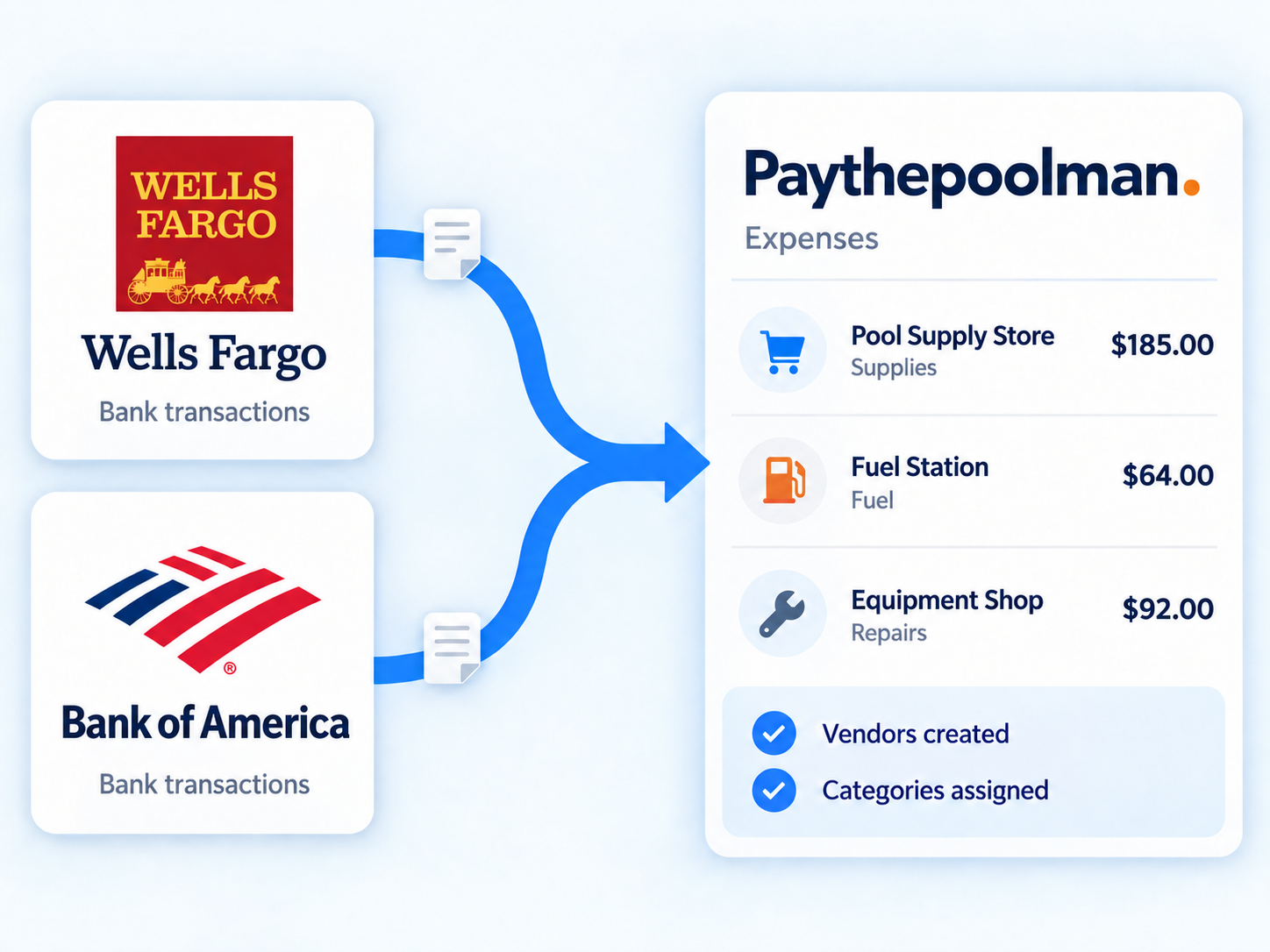
Less typing. Cleaner books.
Your bank feed becomes your expense ledger
Connect your bank, pick a date range, and every debit lands as an expense with the vendor already filled in. A full year of history if you want it, with duplicates blocked and deposits skipped automatically.
Quick Receipts
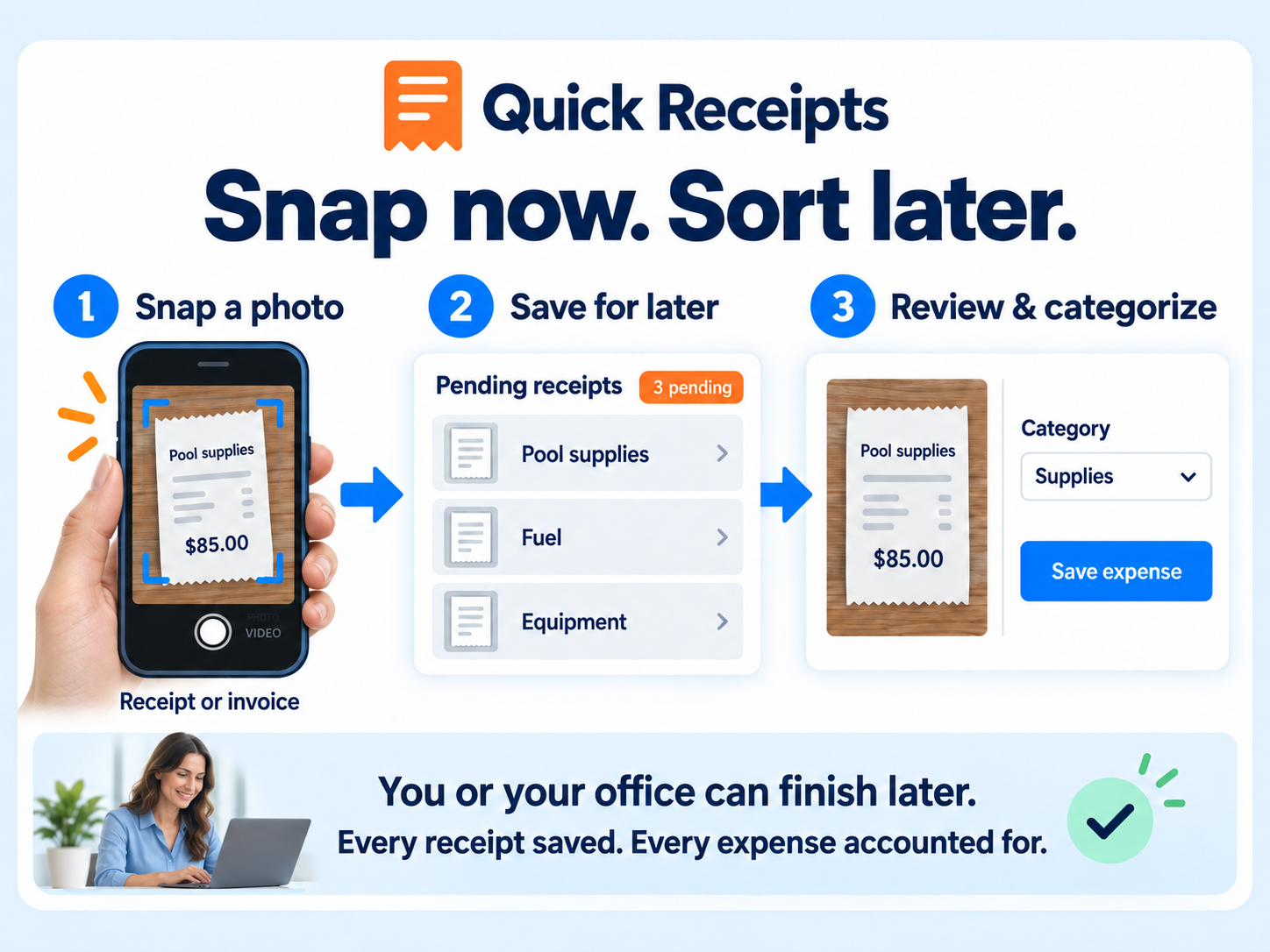
Techs snap a receipt at the supply house. It waits in a Quick Receipt inbox until the office turns it into a full expense, so the shoebox is finally retired.
Auto-assign categories
Turn on automatic expense categorization, or set categories by hand on any row.
Vendors created for you
Each transaction's merchant name becomes the vendor automatically, with the bank's category stored on it.
Secure bank connection
Bank-grade security, the same kind the major finance apps use. Connect as many banks and card accounts as you need, and disconnect any time.
Receipt images on expenses
Attach a photo up to 15 MB to any expense so the paper trail lives with the record.
Tags and payment types
Tag expenses your own way and record how each was paid, by which employee, and when.
QuickBooks bank accounts
Look up your QuickBooks bank accounts when posting expenses and payments so entries land where your accountant expects.
Month-end in four steps.
Connect once
Open Bank Management, pick your bank, and sign in. The connection is saved.
Pull the month
Choose the date range and import. Debits arrive as expenses with vendors filled in.
Categorize
Auto-assign does most of it. Fix the rest by hand and attach any Quick Receipts.
Report
Everything flows to the Expense Dashboard, P&L and tax reports.
Every expense captured. Every deduction kept.
Every receipt that vanishes in the truck is a tax deduction you paid for and never claimed. Paythepoolman catches spending two ways, from your bank feed and from your techs' phones, so nothing slips through and your books stay clean without a Sunday spreadsheet session.
- Never lose a tax deduction because the receipt got lost
- Snap a photo, drop it in Quick Receipts, and deal with it when you're at a desk
- See profit, not just revenue, on one dashboard
- Set a yearly income goal and watch your progress all year long
None of them list a bank feed.
Skimmer, Pool Brain, Jobber and Pool Office Manager do not list bank transaction import on their public feature pages. Jobber lists expense tracking only on its Grow plan at $199 a month. Paythepoolman includes bank import, auto-categorization and Quick Receipts at $50 plus $15 per technician.
"Love the app and the company. If they charged five times as much I would still be in, but they're much better priced and more responsive than their competitor."
Ryan Hearon, pool service ownerBanking FAQs
How do I connect my bank?
Open Bank Management, start a secure connection, and pick your bank. You can connect more than one bank or card account and disconnect any of them at any time.
How far back can I import?
Up to a year of transaction history. You choose the date range each time you import.
What happens to imported transactions?
Debits become expenses. The vendor is created automatically from the merchant name, duplicates are blocked, credits are skipped, and categories can be assigned automatically or by hand.
Is this an add-on?
No. Bank connections, transaction import and Quick Receipts are included in every plan.
Works hand in hand with
Retire the receipt shoebox.
Thirty days free. Talk to a pool pro, not a ticket queue.