
Bid the job from the office. Get the yes from their phone.
Build the estimate from your item catalog, see your profit on every line, and send it by email, text and push in one click. The customer approves from a secure link, and the job is ready to put on the route.
Included in every plan · text delivery uses SMS credits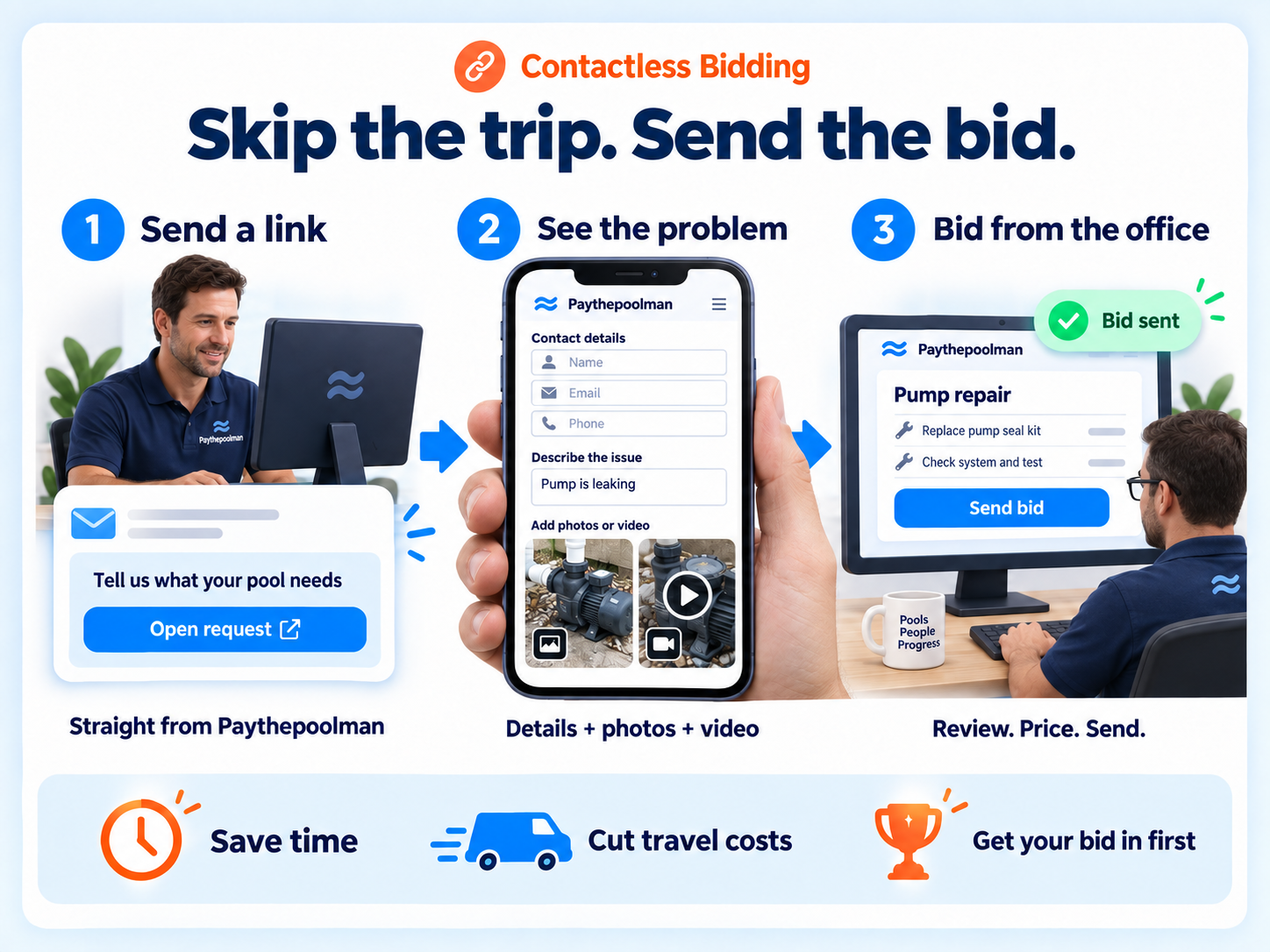
Faster estimates, faster approvals, fewer forgotten bids.
Send the estimate everywhere at once
One send goes out as an email with an optional PDF, a text with a secure link, and a push notification in the customer app. The customer approves from wherever they are, and the approved bid is ready to become a repair, a project or an invoice.
Profit on every line
Potential profit per item as you add it, plus a hint showing when you last used that item in a bid and for how much. Price with confidence instead of from memory.
Build from anywhere
Create a bid from the Bid Hub, from a customer record, from a lead, or directly from a customer's repair request with their photos attached.
Deposits
Require a deposit on any bid with a deposit type and amount, collected through the payment portal.
One-tap reminders
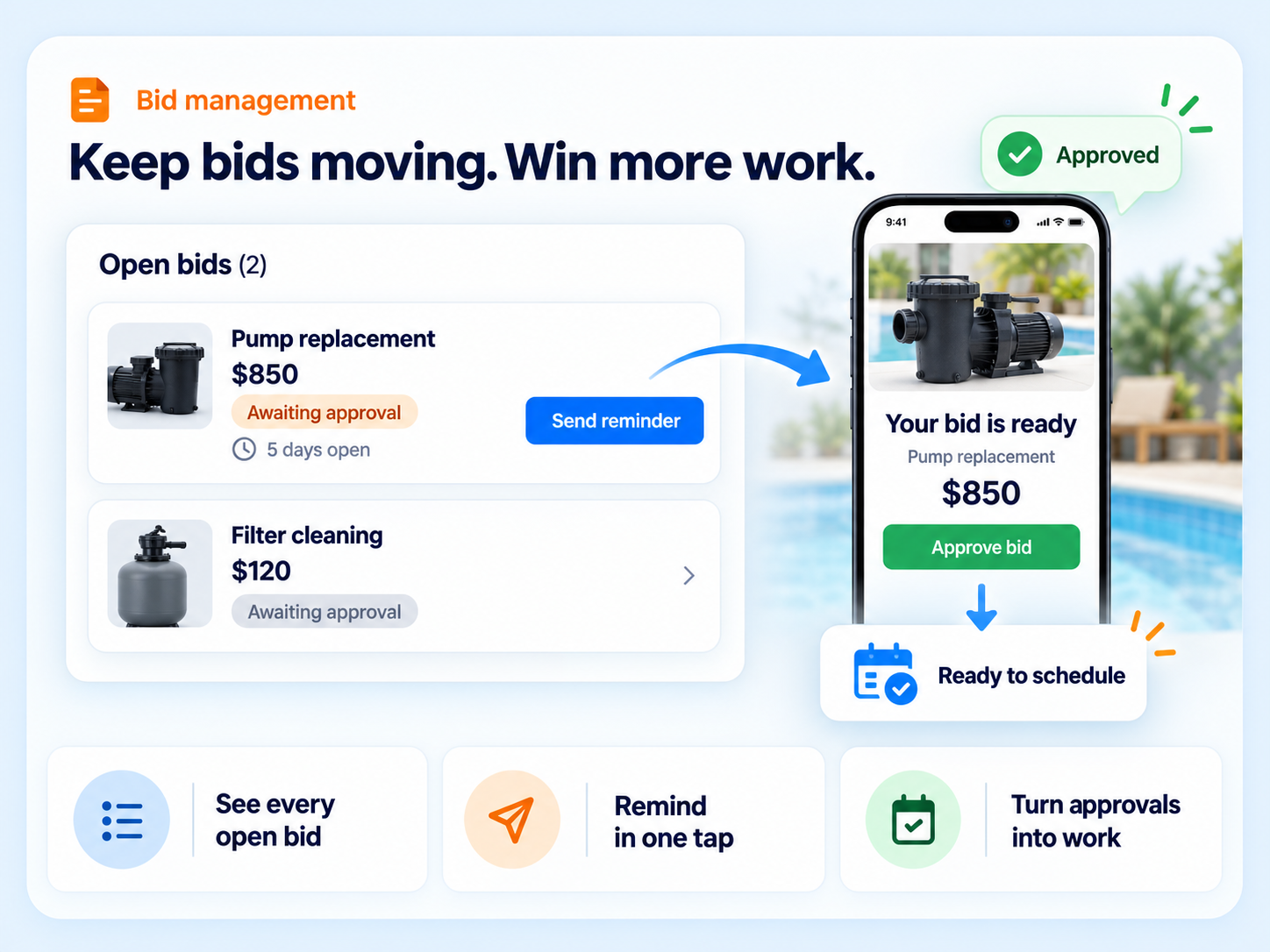
The Open Bids report shows each unapproved bid's age in days and sends a text reminder with the customer's link. Bids past their valid-until date show as Not Valid.
Approve or deny with a reason
Approval stamps the date and writes a note to the customer record, so the bid is ready to schedule. Denials capture the reason so you learn why.
Bid to job to invoice
Approved bids become a repair on the route, a multi-day project, or an invoice. Bids sync to QuickBooks Online, and deleted bids are archived as PDFs in the customer's file cabinet.
Detailed line items
Each with description, quantity, tax flag, price and total, pulled from your saved income items.
From repair request to scheduled job, no truck roll.
Start from the request
A customer reports a problem with photos from the app. Open it and click "create bid".
Price it
Add items from your catalog. Watch the profit per line. Set a deposit and a valid-until date.
Send it
Email, text and push go out together with a secure link good for 30 days.
Schedule it
Once it's approved, add the repair to the route straight from the bid. Unanswered bids get a one-tap text reminder.
Nothing slips through
Bids that don't get answered are where pool companies quietly lose revenue. Paythepoolman keeps them in front of you.
- Open Bids report with a days-old counter and text reminders
- Approved Bids report tracks conversions into work
- Draft bids you saved for later land in Task Hub and age until finished
- Filter and salt cell cleanings can send a bid request directly
Quotes are a tier upgrade elsewhere.
Skimmer lists quotes and estimates only on its Scaling Up plan at $2 per pool. Pool Brain, Jobber and Pool Office Manager list quotes, but none list profit per line item while you build, a bid created straight from a customer's photo repair request, or push delivery to a branded customer app.
"We love it, because it's easy to get approvals from our customers and is easy to use."
Ospella PoolsBidding FAQs
How does the customer receive a bid?
Three ways at once: an email titled "Pool Work Estimate - Please Review and Approve" with an optional PDF, a text message with a secure link, and a push notification in the customer app. The link is a unique token that is valid for 30 days.
Can I require a deposit?
Yes. Turn on the deposit toggle on any bid and set the deposit type and amount.
What happens after a bid is approved?
An approved bid can become a repair on the route, a multi-day project, or an invoice, and it syncs to QuickBooks Online.
How do I follow up on bids nobody answered?
The Open Bids report lists every unapproved bid with how many days old it is. One tap sends the customer a text reminder with their link. Bids past their valid-until date show as Not Valid.
Works hand in hand with
Send your next estimate without a site visit.
Thirty days free. Talk to a pool pro, not a ticket queue.