
Multi-day jobs, planned one day at a time.
An equipment install or a resurfacing job isn't a route stop. Project Management gives it a timeline: each day with its own crew, duration, checklist, notes, photos, video and labor cost, and a single "complete" that only turns on when every day is done.
Included in every plan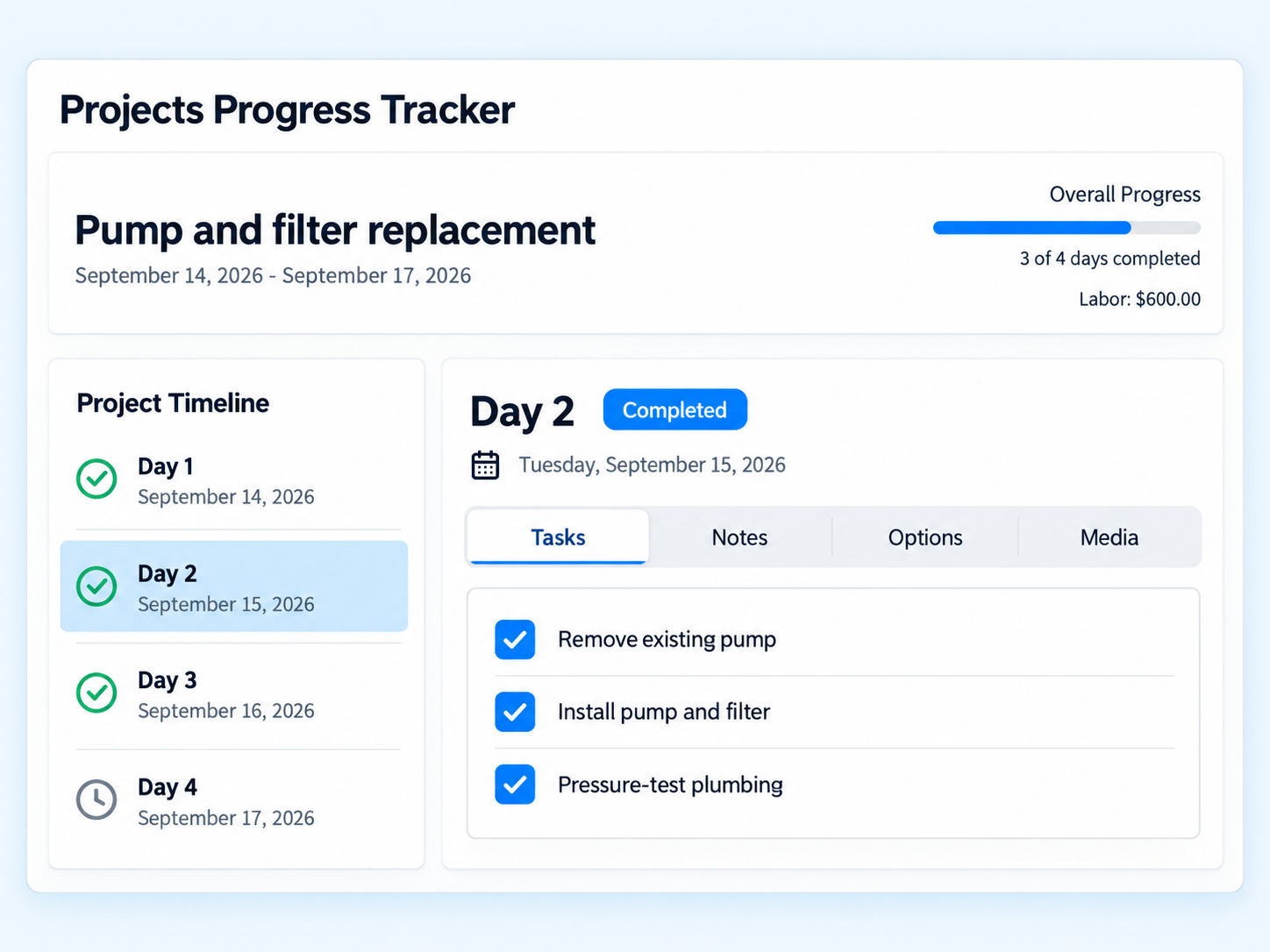
Everything a multi-day job needs, in one record.
A day-by-day timeline for the big jobs
Create a project with as many days as the job needs. Each day carries its date, start time, duration, crew, notes, checklist and labor. Equipment installs, resurfacing, drain-and-cleans: planned like a project, worked like a route.
Blueprints
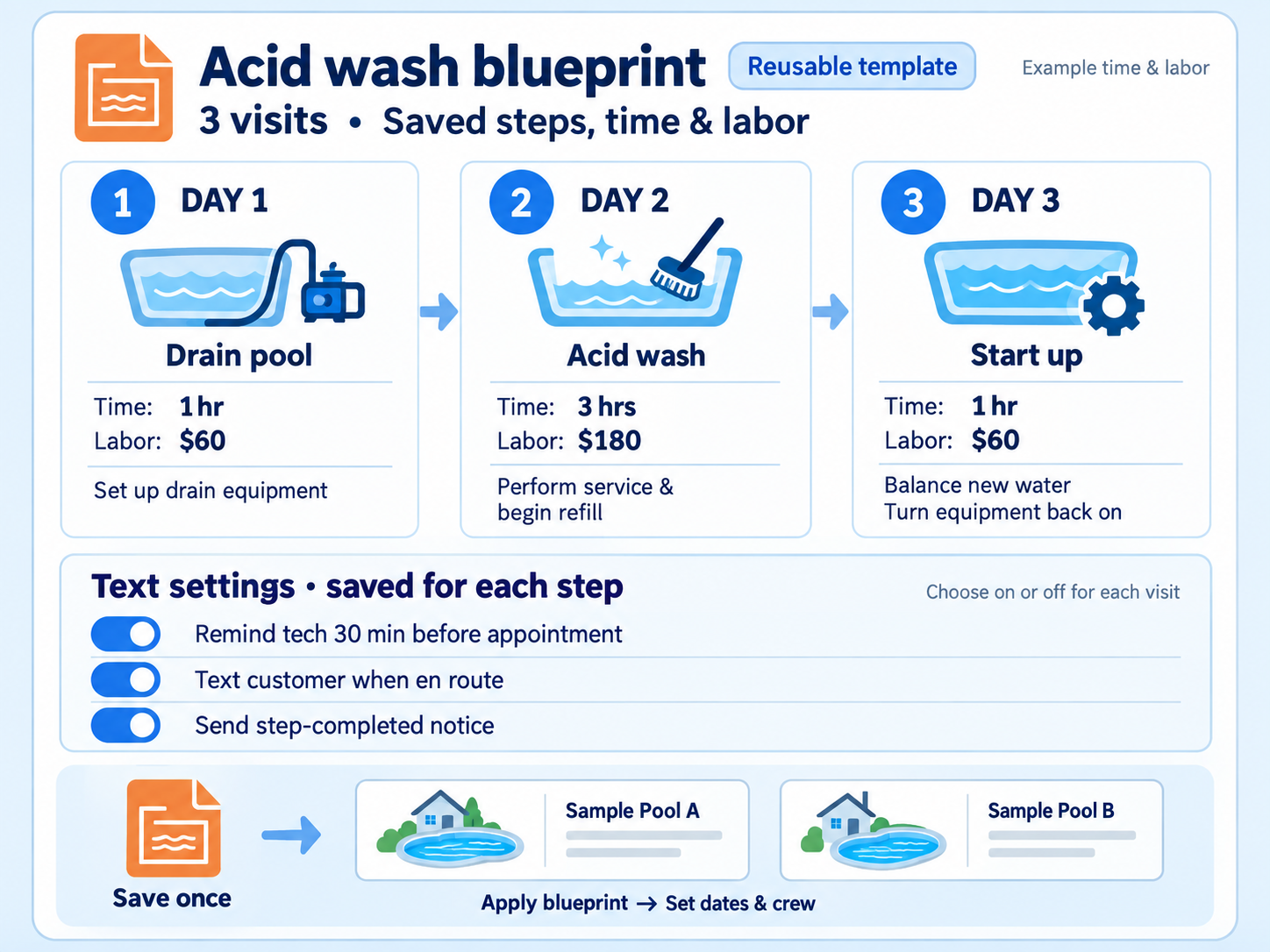
Save a job as a reusable template, checklist included, and apply it to the next customer with the same kind of work. Adjust the dates and crew and it's ready.
Labor per tech per day
Record labor cost for each technician on each day. It rolls into the customer's repair history under the project name, ready to bill.
Photos and video
Up to five photos and two videos per project day, each video with a preview, so the office and the customer can see progress without a visit.
Crews per day
Assign one or more technicians to any day. Add, remove or swap techs later and the schedule and labor clone to the new crew.
Customer notices
Per-day flags for a text reminder before the visit and a completed notice afterward, sent by the technician or the office.
Add or remove days
Weather day? Add one. Finished early? Delete it. Edits to date, time, crew or labor clean up after themselves automatically.
Complete means complete
A project shows as done only when every day is complete, so nothing is invoiced half-finished. Every change re-syncs the technician's Plus app.
From approved bid to finished project.
Name the project
Pick the customer, name the job, and either lay out the days by hand or apply a saved blueprint.
Build each day
Set the crew, time, duration, checklist, notes and labor per technician. Turn on reminders and completion notices.
Work the days
Techs see each day in the Plus app, tick the checklist, and add photos and video as they go.
Bill it
Labor for every day and tech is already on the customer's history under the project name. Invoice from there.
Same job, next customer, half the setup
A blueprint stores the shape of a job: how many days, what happens on each, and the checklist your crew works through. Apply it, adjust the dates and crew, and the project is ready.
- Checklists saved with the blueprint
- Project names are unique per company, so nothing gets mixed up
- Repairs can be created from a bid, a repair request, or Task Hub and attached to a project
Route apps stop at the route stop.
Skimmer, Pool Brain and Pool Office Manager do not list multi-day project tracking on their public feature pages. Jobber has jobs, but not pool checklists, per-day pool crews, or labor that lands on a pool customer's service history.
"Finally!!! Paythepoolman has made our lives easier… Highly recommended."
Pinnacle PoolsProject Management FAQs
What counts as a project?
Any job that spans more than one visit: an equipment install, a plaster or tile repair, a drain and clean, a pump and filter replacement. A project is a named timeline of days, each with its own crew, time, duration, notes, checklist and labor.
Can I reuse a project plan?
Yes. Save a multi-day job as a blueprint, including its checklist, and apply it to the next customer with the same kind of work.
How does a project get billed?
Labor is recorded per day and per technician. It appears on the customer's repair history with the project name, ready to invoice.
Do technicians see project changes in the field?
Yes. Every schedule change triggers a re-sync of the technician's Plus app, so the crew always has the current plan.
Works hand in hand with
Plan your next install in Paythepoolman.
Thirty days free. Talk to a pool pro, not a ticket queue.