
Every prospect captured. Every won bid on the route.
Send a lead request by text in one tap, track each prospect through your pipeline with a source, a priority and a next follow-up date, then convert the winners straight into scheduled route stops.
Included in every plan · text delivery uses SMS credits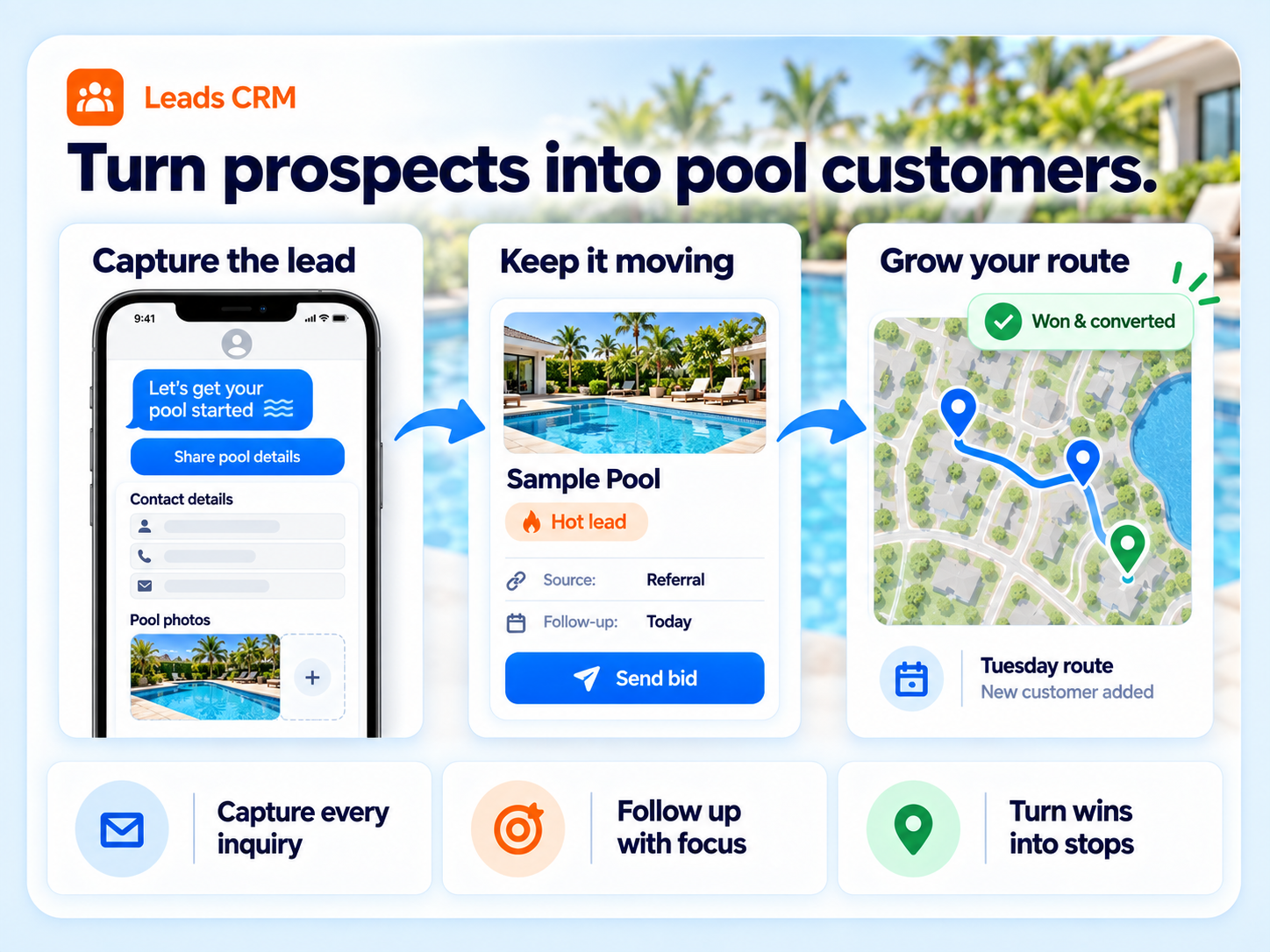
A sales pipeline that speaks pool service.
One-click lead request
Tap "request a lead", type a message, and send a secure form link by text or email. The prospect fills in their details and pool photos, and your team gets a push the moment they do. No more leads lost in a text thread.
Convert straight to a route stop
Pick a technician, service days, weekly or bi-weekly, route type and door-hanger preference. The stops are created and the lead is marked Won and Converted in one step.
Analytics that show what pays
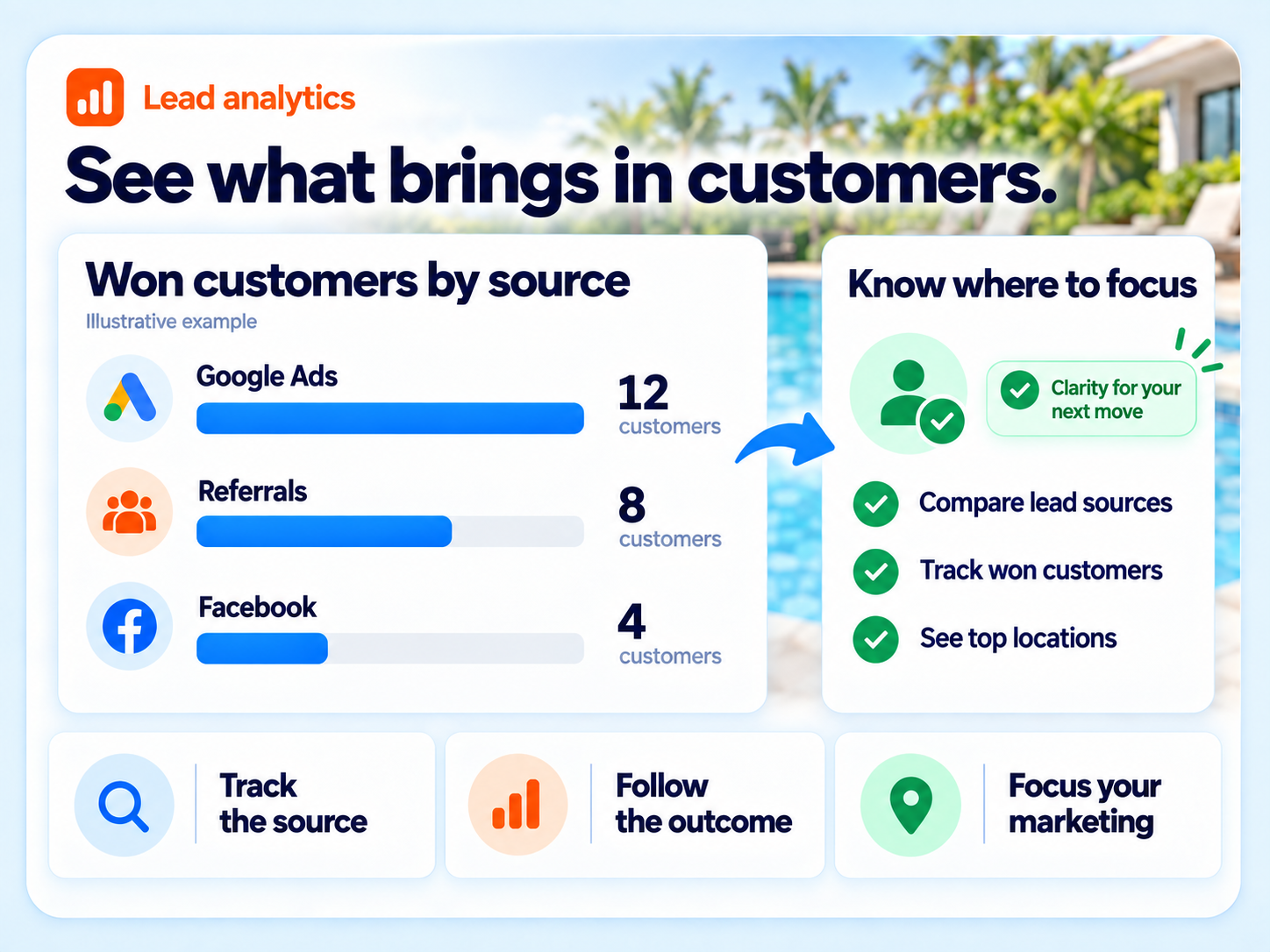
Counts by stage, counts by source, and your top cities and states by lead volume, so you know which ad channels and neighborhoods are producing.
Color-coded priorities
Hot Lead, Warm Lead, Urgent and Low Budget by default, fully editable, so the list sorts itself by what matters.
Follow-up dates
Last and next follow-up on every lead, with stale leads surfaced automatically after seven days without contact.
Sources you control
Facebook, Google Ads, Referral, Website, Cold Call and Event come set up. Add, rename or remove your own.
Photos and video
Attach up to five photos and a video to a lead, from the prospect's own submission or your visit, so the estimate is built on what the pool actually looks like.
Manual capture, notes and history
Enter a lead from a phone call with contact, addresses and quoted price. Every change is kept in a per-lead history so anyone can pick up where a teammate left off.
From first call to first service day.
Request the lead
Tap "request a lead", type a message, and send it by text or email. The prospect fills in their details and pool photos on a secure form.
Qualify it
Set the source, priority, stage, quoted price and next follow-up date. Add notes, photos or a video.
Work it
Stale leads surface on their own. Send a bid straight from the lead and track approval.
Win it
Assign a tech and service days. The route stops are created and the lead flips to Won and Converted.
Know which ads actually pay off
Because every lead carries a source and a stage, the analytics view tells you how many Facebook leads became customers versus how many Google Ads leads did, and which cities your best prospects live in.
- Lead counts by stage and by source
- Top 10 cities and states by lead volume
- Repair calendar view of scheduled estimates, color-coded by technician
Pool-specific lead tracking, included.
Jobber lists lead management, but it is a general contractor tool with no pool photos, pool-specific service days or bi-weekly routing on conversion. Skimmer, Pool Brain and Pool Office Manager do not list a lead pipeline on their public feature pages.
"Best app out there for our pool business and we both love it. Also customers do as well."
Jon and Amanda Camp, pool service ownersLeads FAQs
How does a one-click lead request work?
Type a short message and send it by text or email, or copy the link. The prospect gets a secure form to fill out within 48 hours. When they submit, your team receives a push notification and the lead appears in your pipeline.
Can I track where leads come from?
Yes. Every lead carries a source. Facebook, Google Ads, Referral, Website, Cold Call and Event are set up by default, and you can add your own. Analytics show lead counts by source, by stage, and by city.
What happens when I win a lead?
Pick a technician, service days and route type. Paythepoolman creates the route stops and marks the lead Won and Converted in one step.
Is Leads an add-on?
No. Leads is included in every plan. Text message delivery of lead requests uses SMS credits.
Works hand in hand with
Stop losing leads in text threads.
Thirty days free. Talk to a pool pro, not a ticket queue.