
One list for every loose end in your business.
A callback, a half-finished invoice, a repair, a parts run, a trip to the DMV. Task Hub puts every job that has to get done in one prioritized list, ages it until it's handled, and lets you hand it to anyone on the team in seconds.
Included in every planThe video could not load. Open the Task Hub video to try again.
Built for the whole business, not just the pools.
Assign anything to anyone
Bids, Invoices, Service, Repairs, To-Do, Follow-up, Calls, Quote Requests and Other. Only Service and Repair need a customer attached, so a DMV run, a parts pickup or a callback is assigned and tracked exactly like a repair. Hand it to any employee, even a tech mid-route.
Finish Later drafts
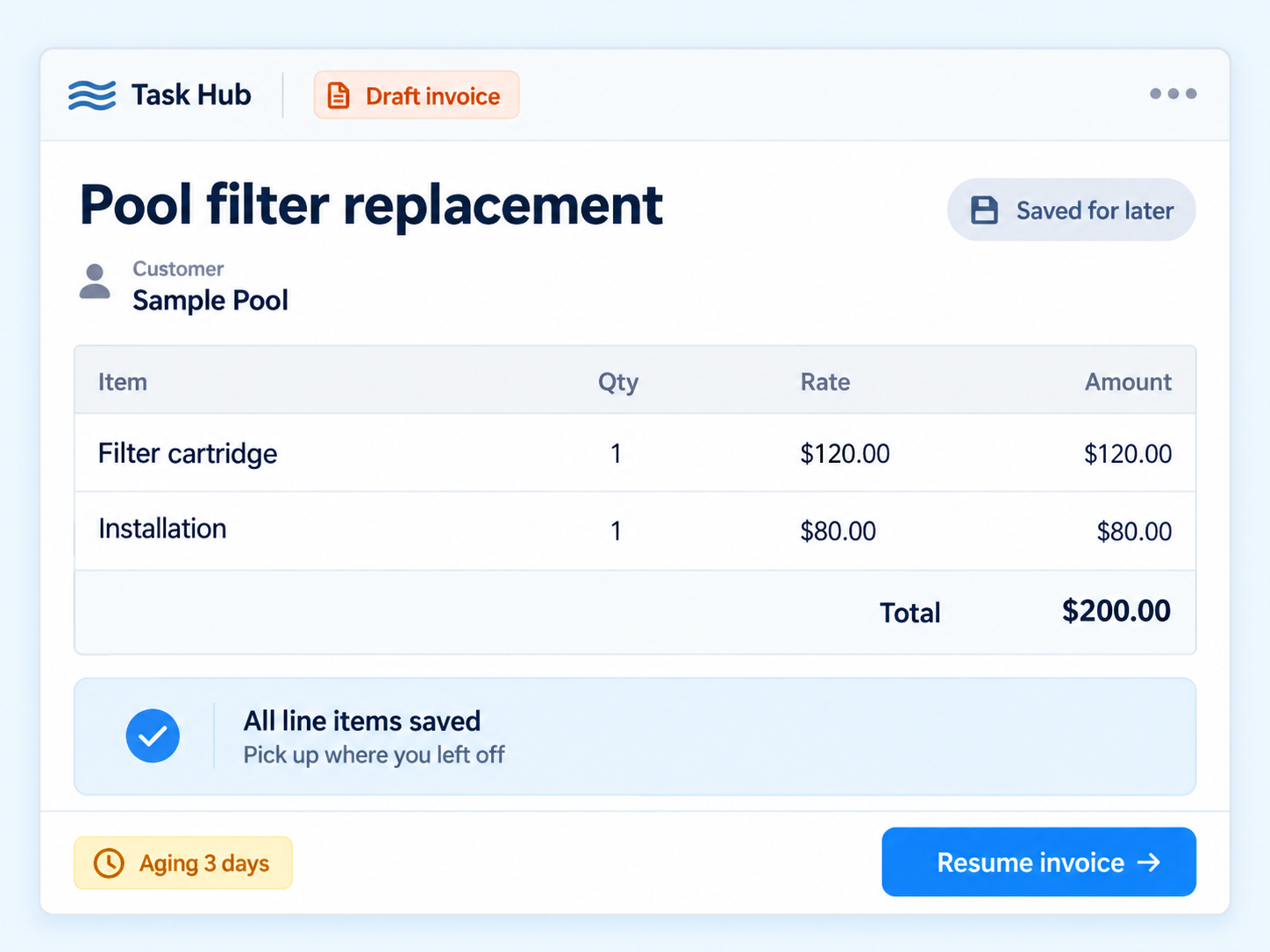
Save a half-built invoice or bid with every line item intact. It lands in Task Hub as a draft, ages until it's finished, and reopens exactly where you left off.
Aging you can see
Cards move from normal to yellow, orange and red on thresholds you set per task type. A repair turns red after three days; a draft invoice after fourteen.
Five priority levels
Urgent, High, Normal, Low and Minimal. Urgent and High tasks age twice as fast so they climb the list on their own.
Snooze and escalate
Snooze a task to a future date and the aging clock pauses. Escalate and it turns red and notifies your designated managers by push, email or text.
Notifications that reach people
Push to the assignee, with an automatic text message fallback if they haven't registered for push. Escalations also go out by email.
Manager tools
See each employee's queue, a workload summary, and bulk reassign, complete, cancel or reprioritize across the team.
Notes and audit trail
Threaded notes on every task and a searchable company-wide history of who created, reassigned, reprioritized, snoozed or completed what.
From "someone should handle that" to done.
Create it
Pick a type, a priority and a due date. Attach a customer if it's a repair or service stop. Skip that for anything else.
Assign it
Choose any employee. They get a push notification, or a text if they don't have push set up.
Watch it age
The card turns yellow, then orange, then red on your thresholds. Past-due and Urgent tasks age at double speed.
Close it out
Start, snooze, escalate, reassign or complete. Every step is logged in the audit trail.
Drafts that don't get lost
The most expensive task in a pool business is the invoice that never got sent. Task Hub's Finish Later stores the entire form, every line item and price, and reopens it later marked in progress.
- Works for invoices and bids
- Draft tasks are created automatically by "save for later"
- Draft invoices age on their own schedule: yellow at 3 days, orange at 7, red at 14
No other pool platform lists a general task system.
Skimmer, Pool Brain, Jobber and Pool Office Manager all handle service stops. None of their public feature lists include a way to assign a phone call, a parts run or an errand to an employee and track it until it's done.
"Not only is the program an absolute must have, but their customer service is hands down the best I've ever had dealings with."
Verified customer reviewTask Hub FAQs
Can Task Hub track work that is not pool related?
Yes. To-Do, Follow-up, Call, Quote Request and Other tasks do not require a customer, so a DMV run, a parts pickup or a phone call can be assigned and tracked the same way as a repair.
What happens if a task sits too long?
Each task type has its own aging thresholds. A card turns yellow, then orange, then red as it waits. Urgent and High priority tasks and anything past its due date age twice as fast. Anyone can snooze a task to pause the clock or escalate it to notify designated managers.
Who can be assigned a task?
Any employee with Task Hub access, or the owner. Reassigning notifies both the new and the previous assignee by push notification, with a text message fallback if the employee has not registered for push.
Is Task Hub included in the subscription?
Yes. Task Hub is part of every Paythepoolman plan at no extra charge.
Works hand in hand with
Try Task Hub on your own to-do list.
Thirty days free. Talk to a pool pro, not a ticket queue.